Posted by straberry 12
Filed in Arts & Culture 2 views
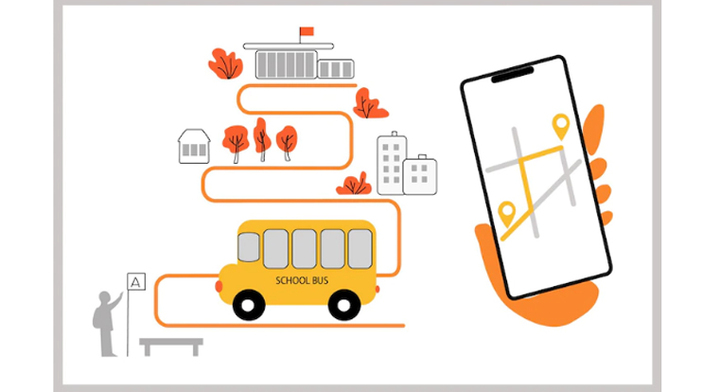
School transport can become stressful before the first class even begins. A late bus, missed pickup, unclear route change, absent driver, or worried parent can disrupt the whole morning. Staff may also struggle to confirm which students boarded, where a vehicle is, and whether every child reached the correct stop. A school transport management system brings buses, routes, drivers, students, fees, and parent communication into one connected platform. In 2026, live data, automated alerts, parent-facing tracking, and smarter route planning are becoming central transport priorities, alongside safety and rising operating costs.
A school transport management system is software used to plan, monitor, and record a school’s daily transportation activities. It helps administrators track vehicles, build routes, assign students to stops, store driver details, record boarding and drop-off, send parent alerts, and review transport reports.
Manual transport management often depends on registers, spreadsheets, calls, and separate chat groups. An automated school bus management system gives authorised users one information flow. Administrators see fleet activity, drivers receive route details, parents get updates, and staff can review attendance, fees, and vehicle records without repeating data entry.
Manual processes become harder as routes and enrolment grow. Attendance may be incomplete, changes may reach parents late, and fuel costs can rise because of repeated stops or poor vehicle use. When a bus is delayed, the office may not know its location, so parents call while staff try to contact the driver.
A school transport management system gives the school a live operational view. From our experience with school workflows, this is the real advantage: software does not replace responsible staff. It gives them faster, clearer information so they can make better decisions and respond sooner.
Live GPS tracking shows the current location of each bus or van on a map. Administrators can monitor active trips, estimated arrival times, delays, unscheduled stops, and route deviations.
A secure parent app can show only the vehicle linked to a child. When traffic, road closures, or vehicle trouble affect the schedule, families receive a useful ETA. Recent projects show that GPS creates more value when its information reaches parents and school teams, not only a control room.
Good route planning must consider student addresses, safe pickup points, capacity, timings, one-way streets, traffic, and ride time. School transportation management software can compare route options, sometimes using real-time data or AI-assisted planning.
Human review remains essential because an efficient-looking route may include an unsafe crossing or unsuitable stop. Safety guidance also recommends reviewing the walking paths students use to reach bus stops.
A student transport management system records when a child enters and leaves a vehicle. Depending on the setup, schools may use RFID cards, QR codes, ID-card scanning, a conductor app, or a driver check-in screen.
The record answers three urgent questions: Did the student board? Which vehicle are they in? Was the drop-off confirmed? It also speeds up checks after a missed pickup or failed scan.
A parent app can provide live location, ETA, delay notices, pickup alerts, and drop-off confirmation. It reduces repeated calls and helps families reach the stop on time.
Parents should see only authorised child and route information. Access controls are important because live location details should never be visible to unrelated users.
A school transport management system should store driver licences, verification, emergency contacts, route assignments, and performance notes. Vehicle records should cover registration, fitness, insurance, service history, and maintenance reminders, reducing the chance of missed renewals or servicing.
Schools can also review past assignments to confirm which driver and vehicle completed a particular route.
Automated alerts keep people informed without placing extra pressure on drivers:
Bus arrival or approaching stop
Student boarding and safe drop-off
Late departure or traffic delay
Route and stop changes
Unscheduled stops or route deviations
Breakdown, accident, or emergency
Alert access should follow each user’s role. Too many low-value notices can hide important warnings, so schools should keep notifications relevant and easy to understand.
Reports can show route duration, vehicle use, attendance, missed scans, delays, fuel records, maintenance dates, and stop performance.
Repeated delays may support an earlier departure, changed stop order, or route split. Schools can also identify underused vehicles, unusually long routes, frequent maintenance issues, and attendance gaps.
A school transport management system connects location, boarding records, driver details, and route activity. It does not replace trained drivers, safe vehicles, or supervision. Instead, it adds visibility so staff can respond sooner.
Administrators can confirm whether a student boarded the correct vehicle, monitor unusual route activity, and review past trip records when a concern is reported.
Parents feel more confident when they receive accurate pickup, delay, and drop-off information. Real-time alerts reduce uncertainty and prevent the school office from becoming a call centre every morning and afternoon.
Clear communication also helps parents prepare children on time, reducing avoidable waiting at stops.
Optimised routes can reduce unnecessary distance, idle time, and poor vehicle use. Maintenance reminders may prevent avoidable breakdowns.
Savings depend on route quality, fuel prices, fleet size, and regular use of reports. The system provides the information, but administrators still need to review it and make practical changes.
One dashboard can simplify routes, student assignments, drivers, transport fees, notifications, and reports. Staff spend less time comparing registers and more time handling exceptions.
When student records and transport details are connected, teams do not need to enter the same name, class, contact number, and fee information in several places.
Time-stamped trip, attendance, and alert records let schools answer parent questions with evidence. Families gain suitable visibility without needing a driver’s personal number.
The school can also review who changed a route, assigned a vehicle, recorded attendance, or sent an emergency notification.
During a breakdown, accident, medical issue, or road closure, live location helps staff identify the bus, contact the driver, notify parents, arrange backup transport, and confirm passengers.
Faster access to reliable information can prevent confusion during a stressful situation.
The process is straightforward:
The school registers buses, vans, drivers, conductors, students, routes, and stops.
Students are assigned to the correct vehicle and pickup point.
GPS hardware or an approved mobile app shares vehicle location.
Drivers follow digital route instructions and update trip status.
RFID, QR, ID-card, or app check-ins record boarding and drop-off.
Parents receive authorised alerts and ETA updates.
Administrators monitor active trips through a central dashboard.
Reports are generated for attendance, routes, delays, fees, and vehicle use.
The exact workflow depends on the institution, but the main principle remains the same: one verified data flow replaces disconnected manual updates.
Choose software for real school operations, not an impressive feature list. Check GPS accuracy and refresh speed, including performance when mobile data is weak.
Let daily users test the dashboard and mobile apps. Review language options, login security, notifications, temporary route changes, capacity controls, attendance methods, and emergency escalation.
Data security deserves special attention because location and attendance records relate to children. Ask about:
Data encryption
Role-based access
Secure user logins
Automatic backups
Activity and audit logs
Data-retention periods
Account removal procedures
Parent-access controls
Education privacy guidance recommends transparency about what student data is collected, how it is used, who can access it, and how long it is retained.
The platform should scale across branches and connect with student records, communication, fees, and reports. Compare training, support, onboarding, pricing, and contract terms.
Request a live demonstration using a sample route. A realistic test reveals more than a sales presentation.
A school transport management system performs best when the school prepares its data and people before launch. Review routes, stops, student lists, driver records, and vehicle documents. Remove duplicates and outdated information.
Train staff with real scenarios and explain the parent app simply. Test GPS, alerts, scans, emergency contacts, and weak-network behaviour.
Start with one route or branch, collect feedback, fix problems, and expand in phases. Review reports regularly so the platform keeps improving operations.
Yes, when the platform includes GPS tracking and a secure parent app. Parents normally see the vehicle linked to their child, along with ETA, pickup, drop-off, and delay alerts.
Yes. Attendance can be recorded through RFID cards, QR codes, ID scanning, or a driver or conductor application. Schools should also define a backup process for missed or failed scans.
Yes. A cloud-based school transport management system can support a small fleet and scale as the institution adds students, routes, vehicles, or campuses.
It can help through better route planning, fuel monitoring, vehicle utilisation, and maintenance scheduling. Results depend on accurate information and regular management review.
Look for secure logins, encryption, role-based access, backups, activity logs, limited retention, and strict controls over who can view a child’s location and transport history.
